
- Olivia
- October 27, 2026
How Secure Messaging Apps Protect Your Privacy
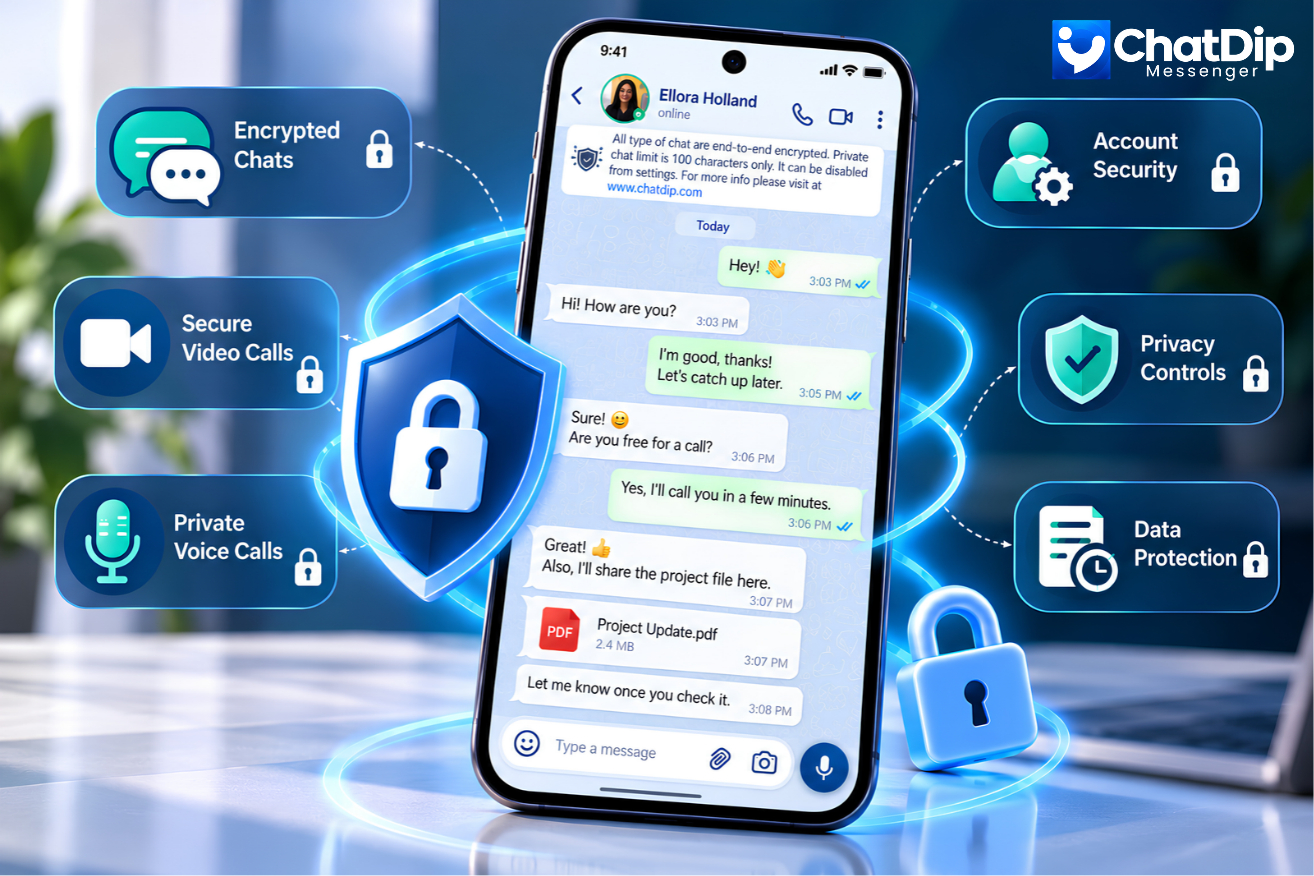
In this digital era, messaging apps have become a crucial tool for communication. People use messaging services to communicate with friends, family, colleagues, and business partners. But, with the increasing use of online communication, worries are increasing about personal data protection and online privacy. This is where secure messaging app privacy plays a crucial role. A secure messaging application ensures the protection of conversations, personal data and account access with features like end-2-end encryption, two-step verification and account privacy controls. Knowing these features will help you decide on your electronic communications.
What Is Secure Messaging App Privacy?
Securing privacy in a messaging application is the technologies, policies, and/or security features that ensure the privacy of users’ information and conversations in a messaging application.
A messaging app that prioritizes privacy is designed to prevent unauthorized access, minimize data leaks, and provide users with more control over their information.
Important privacy features include:
-
End-to-end encrypted messaging
-
Two-step verification
-
Secure account registration
-
Privacy and permission settings
-
Account deletion options
-
Transparent data collection and retention policies
ChatDip Messenger adds privacy and account security functionalities to the app to enable users to communicate with confidence.
1. End-to-End Encryption Protects Your Conversations
End-to-end encryption is one of the most vital technologies that helps ensure privacy of secure messaging apps.
Content of the message is encrypted on the sender’s device and only the intended recipient’s device can access the decryption key.
It implies that anyone who accesses a message sent with encryption should not be able to decipher the message.
Why do you need to use end-to-end encryption?
End-to-end encryption helps:
-
Protect private conversations from interception.
-
Reduce the risk of unauthorized message access during transmission.
-
Keep sensitive information confidential.
-
Provide greater protection when communicating over public networks.
According to the Privacy Policy of ChatDip, all the messages are end-to-end encrypted. It is also a message-handling method where received messages are typically deleted from its systems, with some messages that are not delivered being temporarily kept.
But, if someone gets access to an unlocked device, an encrypted conversation is not protected and not all metadata, like account identifiers or connection information, is protected.
2. Two-Step Verification Adds Another Layer of Security
Using a password or registration code might not be enough to keep your account from being accessed by someone else.
Two-step verification is another level of security to make it harder for another person to access or take over your messaging account.
ChatDip also offers an optional feature of a unique PIN for users to enable the two-step verification option.
How two-step verification works in ChatDip
-
Register your phone number with ChatDip.
-
Verify your number using the registration code.
-
Enable two-step verification in the app.
-
Create and confirm a unique PIN.
-
Optionally provide an email address for PIN recovery.
The two-step verification PIN is different from the initial phone number registration code.
It will provide security from account theft, particularly when an individual tries to sign up your number on another gadget.
Privacy tip: Do not provide registration code/verification PIN to anyone, not even those who purport to be from customer support.
3. Secure Account Registration Helps Prevent Unauthorized Access
Another crucial aspect of a secure messaging app’s privacy is the process of registering an account.One of the other most important features of a secure messaging app’s privacy is how they handle account registration.
A majority of phone number messaging applications need users to confirm their phone number before they can activate an account.
To register, users are required to use an active mobile number and verify it by using a code sent via SMS or a phone call, as per ChatDip’s registration policy.
This verification process assists in controlling the registered phone number and decreases some sort of unauthorized registration.
But phone verification isn’t the solution to all phone takeover attempts, especially those that involve SIM swapping or compromised devices.
Users should take advantage of additional verification options that are available to them, and guard their mobile devices for better account security.
4. Privacy Controls Give Users More Control Over Their Information
A secure messaging app should give users control over access to their personal information and how it’s shared.
These settings can include profile settings, contact permissions, location access, and account management options.
ChatDip offers a number of features related to privacy control such as profile control, blocking contacts, and security settings of the account.
Managing app permissions
Messaging apps may request access to device features such as:
-
Contacts for finding and connecting with people.
-
Microphone access for voice calls.
-
Camera access for video calls.
-
Location access for location-sharing features.
-
Photos and media for sharing files.
These permissions should be checked regularly by users and only granted when necessary.
If you do not want an application to know your location, you can turn off the permission in your device settings, either Android or iOS.
This will limit the amount of unnecessary personal information that is exposed.
5. Responsible Data Collection Supports Better Privacy
Messaging apps may gather some data to run their services, deliver support, keep services secure, and enhance their performance.
This may contain account details, device details and technical usage data.
ChatDip’s privacy policy states that the website can collect the following data:
| Information Type | Examples |
|---|---|
| Account Information | Phone number, name, email address |
| Profile Information | Profile photo and about details |
| Device Information | Device model, operating system, app version |
| Technical Information | IP address, activity logs, connection details |
| Optional Information | Location data when permission is granted |
A clear privacy policy should communicate what information is being gathered, why it’s required, how it is used, and how it is stored.
Keep in mind that message content is encrypted end-to-end, but it does not mean an application will not gather any personal data.
When assessing secure messaging app privacy, it’s important to understand the difference.
6. Secure Voice and Video Calls Help Protect Personal Communication
Messaging apps offer more than just text messaging. People frequently use voice and video calls for personal conversations, remote teamwork, and staying connected with others.
Privacy-focused messaging apps should use secure communication protocols and appropriate security measures to prevent unauthorized access.
Look for calling apps that offer account security, clear permission settings, and clear info about call data processing, in addition to encryption.
ChatDip has voice and video calling capabilities, in addition to the messaging. Please check the privacy policy of the app for the latest privacy protection afforded to calls.
Learn more about ChatDip’s communication features with its voice and video calling.
7. Account Deletion and Data Retention Matter
Understanding what happens to personal information when a user stops using a service is an important component of the privacy of secure messaging apps.
A responsible messaging platform should clearly explain how it deletes messages and how long it keeps them.
ChatDip’s stated policy involves users having the option to delete their account via:
Settings → Profile → Delete
The policy states that users cannot reverse account deletion. It also states that ChatDip retains disabled accounts for 90 days and permanently deletes their data if users do not reactivate them.
However, deleting an account may not remove information stored on another user’s device. Legal or operational requirements may also require ChatDip to retain certain information.
When deleting an account, check the current policy of the platform and store any information you want to keep.
8. How to Improve Your Messaging Privacy
The personal security habits are still relevant, even when you are using a privacy-conscious messaging application.
Here are some natural steps you can take to enhance your messaging security:
Enable two-step verification. One further layer of protection to minimize chances of unauthorized access to the account.
Keep your application updated. Get security updates and improvements from official app stores.
Avoid sharing verification codes. Do not reveal one-time codes, PINs or account recovery codes.
Review application permissions. When not in use, restrict contacts, location, camera and microphone access.
Lock your device. Set up a strong passcode or biometric passcode to help secure messages on your phone.
Beware of dubious links. Do not open any unexpected attachments or links from people you don’t know.
These few basic practices can help bolster the security of your messaging as a whole.
9. Why Secure Messaging App Privacy Matters for Everyday Communication
Digital conversations often contain private information that users prefer to keep confidential.
This could be personal pictures, private conversations, family details, business conversations, or confidential papers.
Hackers, phishing attacks, stolen accounts, and insecure communication systems may expose this information when users lack proper security measures.
Secure messaging applications help mitigate these risks by employing both technical security and user security options.
This also translates to a greater sense of confidence for the people, in their interactions with friends and family.
Businesses can benefit from privacy-focused communication to foster privacy and responsible information management.
Ultimately, the decision of which messaging platform to choose should not be based on calling capabilities and ease of use alone. Privacy and security needs to be at the core.
10. How ChatDip Supports Secure Messaging App Privacy
ChatDip brings together everyday messaging features and privacy controls to help users communicate securely and conveniently.
Its published features and policies are described:
-
End-to-end encrypted messaging.
-
Optional two-step verification.
-
Phone number verification during registration.
-
Contact blocking and profile management.
-
Device permission controls.
-
Account deletion and disabling options.
-
Voice and video calling.
-
Screen sharing during calls.
These features help users communicate easily and privately.
But no messaging app can promise 100% security from all threats. Users should take advantage of available security features and manage their accounts and devices responsibly.
Conclusion
Given the growing importance of digital communication in daily life, it is vital to safeguard personal discussions and information.
By understanding secure messaging app privacy, users can become more aware of the need for end-to-end encryption, two-step verification, responsible data collection, and account security.
A privacy-focused messaging app should not only make communication convenient but also clearly explain how it uses personal information and give users meaningful control over their accounts.
ChatDip’s capabilities include encrypted messaging, two-step authentication, and privacy settings, designed to create a more secure and streamlined experience for everyday communication.
ChatDip is an ideal choice for staying connected, staying informed and keeping privacy in focus.
Frequently Asked Questions (FAQs)
1. Secure messaging app privacy is what?
Secure messaging app privacy is about the security features and privacy practices employed to safeguard conversations, personal info and user accounts. This includes safeguards like encryption, verification, privacy settings, and data stewardship.
2. How does end-to-end encryption protect messages?
End-to-end encryption converts text into encrypted information that only the recipient’s device can decrypt. This helps prevent unauthorized parties from reading the message content during transmission.
3. What are some ways to make my messaging app more secure?
Two-step verification, a strong device lock, updating app, checking app permissions, and refraining from accepting suspicious links or verification codes are ways to boost the security of messaging.
For more information on the available communication tools, check out ChatDip.

How to Update ChatDip on Android and iPhone
[…] To find out more about how to keep personal information safe when you’re communicating online, read our guide on How Secure Messaging Apps Protect Your Privacy. […]
How to Share Your Screen During Audio Call -
[…] ChatDip Privacy Policy […]