- admin
- May 18, 2026
Which Messaging App is Best for Android & iOS?
In today’s fast-paced digital world, messaging apps are vital for daily communication, used for staying connected with family, collaborating on teams, and sharing updates seamlessly across Android and iOS devices.
Choosing the right messaging app is more important than ever. Users now look beyond basic chatting—they want speed, reliability, advanced features, and most importantly, privacy. With growing concerns about data security and online tracking, demand for secure and private communication tools is rising rapidly.
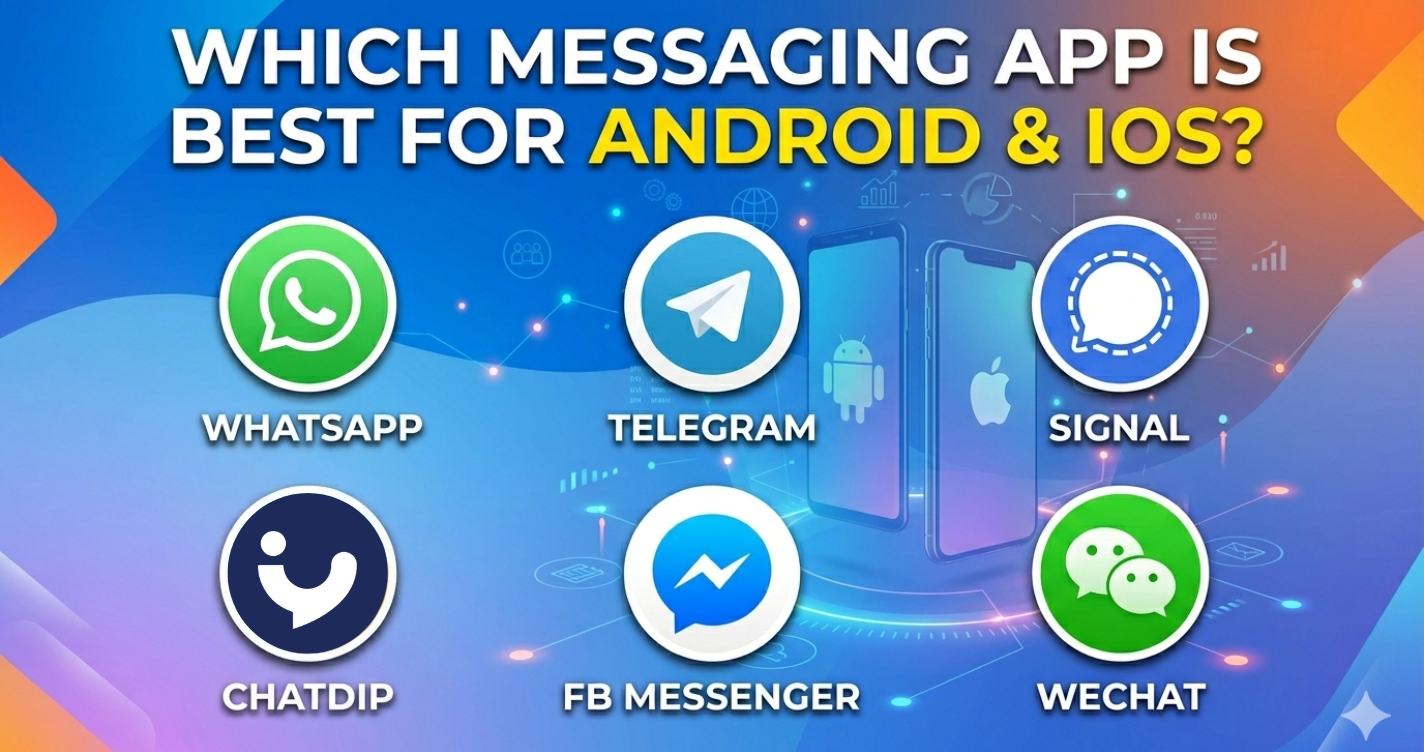
Popular apps like WhatsApp, Telegram, and Signal dominate the market, each offering different strengths in terms of usability, features, and security. In this article, we’ll compare what truly makes a messaging app the best choice for Android and iOS users, and which features matter the most when making your decision.
What Makes a Messaging App “The Best”?
Not all messaging apps are created equal. The best messaging app for Android and iOS is one that delivers a balanced combination of performance, usability, security, and powerful features. Here are the key factors that define a top-tier messaging app:
Cross-Platform Support (Android & iOS)
A great messaging app must work seamlessly across both Android and iOS devices. Users should be able to switch between devices without losing chats or functionality, ensuring a smooth and consistent experience.
Speed and Performance
Fast message delivery, quick app loading, and smooth calling are essential. The best messaging apps work efficiently even on slower internet connections, ensuring uninterrupted communication anytime, anywhere.
User-Friendly Interface
Simplicity matters. A clean, easy-to-navigate interface allows users to send messages, make calls, and manage chats without confusion. Apps like WhatsApp are popular largely because of their ease of use.
Security and Encryption
Privacy is now a top priority. Leading apps such as Signal focus on strong encryption to protect user data. The best messaging apps ensure that messages, calls, and shared files remain secure and inaccessible to unauthorized parties.
Feature-Rich Communication
Modern users expect more than just text messaging. Advanced features like media sharing, voice and video calls, message scheduling, and chat customization enhance the overall experience. Apps like Telegram stand out by offering a wide range of powerful tools.
Core Messaging Features
A strong messaging app is built on reliable core features that make daily communication simple, fast, and effective. These basic functions are what users rely on the most, whether they are chatting with friends, family, or colleagues.
Instant Messaging
Instant messaging is the foundation of every modern communication app. It allows users to connect in real time without delays.
- Text, Images, Videos, and Audio Messages: Users can send and receive different types of media instantly, making conversations more expressive and interactive.
- Sharing Location & Contacts: Many apps allow quick sharing of live location and saved contacts, which is useful for meetups and professional communication.
- Chat Organization (Pin, Mute, Archive): To manage conversations better, users can pin important chats, mute unnecessary notifications, or archive old conversations for a cleaner inbox experience.
Apps like WhatsApp and Telegram provide these features as standard, making communication smooth and organized.
Audio & Video Calls
Along with messaging, voice and video calling have become essential features of any modern app.
- High-Quality Voice Calls: Clear and stable audio calls help users stay connected without interruptions or distortions.
- Smooth Video Calls (1-to-1 & Group): Video calling allows face-to-face communication, whether for personal chats or group meetings.
- Low data consumption ensures that the best messaging apps deliver high-quality calls even on limited or slow internet connections, making them accessible to a wider audience.
Leading apps such as WhatsApp and Signal deliver stable and efficient calling experiences across both Android and iOS devices.
Advanced Privacy Features (Key Differentiator)
In today’s digital environment, privacy has become one of the most important factors when choosing a messaging app. While many apps offer basic security, advanced privacy features are what truly set modern messaging platforms apart.
Private Voice & Video Calls
Private calling features are designed for users who want complete confidentiality during conversations.
- No call logs stored: Calls are not saved in history, ensuring no trace of past communication.
- Full confidentiality: Conversations remain private and are not accessible after the call ends, giving users greater peace of mind.
This level of privacy is especially important for users who prioritize secure and discreet communication beyond standard apps like WhatsApp.
Zero Call History Technology
One of the most advanced privacy innovations is the elimination of call records entirely.
- No missed, received, or dialed logs: Unlike traditional apps, there is no visible call history stored on the device or in the app.
- No digital footprint: Every call is temporary, leaving no record behind for tracking or review.
This feature represents a major step forward compared to most mainstream apps, including Telegram, where call history is still partially stored.
Secret Chat & Disappearing Messages
Modern messaging apps also focus on temporary and self-destructing communication for added security.
- Auto-delete timers (10 min – 24 hrs): Users can set messages to automatically disappear after a selected time.
- Secure conversations: Messages are designed to be short-lived, ensuring sensitive information does not remain stored permanently.
Apps like Signal already offer disappearing messages, but advanced implementations take this concept further with more flexible controls.
Security & Data Protection
Security is one of the most important aspects of any messaging app today. As users share personal, professional, and financial information through chat apps, strong data protection features are essential to ensure privacy and trust.
End-to-End Encryption (E2EE)
End-to-end encryption ensures that messages are only readable by the sender and the receiver. No third party—including app providers—can access the content of conversations.
A strong example of this standard is Signal, which is widely recognized for its strict privacy-first approach and full encryption by default. Other popular apps also use encryption, but the level of transparency and privacy focus may vary.
Protection from Third-Party Access
A secure messaging app must protect user data from unauthorized access, including hackers, advertisers, or external services. This means:
- No message scanning
- No data sharing with third parties
- Strong server-side protection
This ensures that conversations remain private and cannot be misused or monitored.
Secure File Sharing
Modern messaging apps are not just for text—they also handle sensitive media and documents. Secure file sharing ensures that:
- Photos, videos, and documents are transmitted safely.
- Files are protected during transfer.
- Only intended recipients can access shared content.
Apps like WhatsApp and Telegram also support encrypted or secure file sharing, making it easier for users to exchange important data safely.
Smart Messaging Features
Modern messaging apps are no longer limited to simple texting. They now include smart tools that help users communicate more efficiently, stay organized, and improve message clarity. These features are especially useful for personal, professional, and business communication.
Scheduled Messages
Scheduled messaging allows users to plan and send messages at a specific time and date automatically.
- Send messages at a specific time: Users can write a message in advance and schedule it to be delivered later.
- Use cases (reminders, greetings, business use): This feature is ideal for birthday wishes, meeting reminders, follow-ups, or business announcements when timely delivery is important.
This makes communication more organized and ensures that important messages are never missed, even when the user is busy.
Special Formatting
Special formatting helps users make their messages clearer, more expressive, and more readable.
- Bold, italics, and underlining: Users can highlight important parts of a message using simple text formatting tools.
- Better communication clarity: Formatting helps structure messages better, making it easier to emphasize key points or instructions.
Apps like Telegram already offer rich text formatting options, improving the user communication experience significantly.
Chat Control & Management
A good messaging app is not just about sending messages—it’s also about how well it helps users manage, organize, and protect their conversations. Chat control features give users more privacy, flexibility, and control over their data.
Chat Lock (PIN)
This feature is designed to protect sensitive conversations from unauthorized access by allowing users to secure chats with a PIN, fingerprint, or Face ID.
- Lock individual chats: Users can secure specific conversations using a PIN, fingerprint, or face recognition.
- Hidden notifications: Messages from locked chats do not appear in previews, ensuring privacy even when the phone is unlocked.
This level of protection is especially useful for users who want extra security beyond standard apps like WhatsApp.
Export & Backup Chats
Backup and export features ensure that users never lose important conversations.
- Transfer chats between devices: Users can move their chat history when switching from Android to iOS or vice versa.
- With/without media options: Chats can be exported with images, videos, and files, or as text-only for smaller backups.
This feature is essential for both personal users and professionals who need to keep records of important conversations.
Archive Chats
Archiving helps users keep their chat list clean and organized without losing any data.
- Organize conversations: Less important chats can be moved out of the main inbox.
- Hide without deleting: Archived chats remain saved and can be restored anytime when needed.
Apps like Telegram offer strong chat management tools, but modern apps take organization even further with more flexible controls.
User Privacy & Control Features
Modern messaging apps are increasingly focused on giving users full control over their privacy and online presence. These features help users decide what others can see, when they are available, and how they appear online.
Last Seen & Read Receipts Control
Privacy starts with visibility settings that control user activity status.
- Turn off “seen” status: Users can disable read receipts so others don’t know when a message has been seen.
- Reduce pressure to reply: This helps users read messages without feeling forced to respond immediately.
Apps like WhatsApp already offer basic options for hiding last seen and read receipts, but advanced control options provide even more flexibility.
Online Visibility Control
This feature allows users to manage how and when they appear active.
- Appear offline while online: Users can stay active in the app without showing their online status.
- Manage availability: This helps maintain privacy and reduces unnecessary interruptions.
Such control is especially useful for users who want to separate personal time from messaging activity.
Special Away Status
Away status features provide automated privacy management for busy users.
- Set for 8h / 24h / 48h: Users can choose a time-based away mode depending on their schedule.
- Automatic privacy mode: During this time, visibility and activity indicators remain hidden.
This ensures uninterrupted privacy during work, travel, or rest periods.
Custom Status Text
Personalization is also an important part of user identity in messaging apps.
- Personal expression: Users can set custom status messages to express mood, thoughts, or updates.
- Profile customization: This helps make profiles more engaging and unique.
Apps like Telegram already support custom status features, allowing users to personalize their presence.

Comparison with Popular Apps
When choosing the best messaging app for Android and iOS, it’s important to understand how the leading platforms differ in terms of features, privacy, and flexibility. Each popular app has its strengths, but also certain limitations depending on user needs.
WhatsApp → Popular but Limited Privacy Control
WhatsApp remains the most widely used messaging app globally thanks to its simple interface and massive user base. It delivers reliable messaging along with voice and video calling.
However, it provides relatively limited privacy controls compared to more advanced modern apps.
While it supports end-to-end encryption, users still have restricted control over features like data visibility, call logging, and deeper privacy customization.
Telegram → Feature-Rich but Less Private by Default
Telegram offers powerful features such as large group chats, cloud storage, bots, and extensive customization options. It is highly flexible and suitable for communities and content sharing.
However, users need to manually enable Secret Chats in Telegram to get stronger privacy, since it isn’t fully enabled by default. This makes it less privacy-focused compared to apps built primarily for secure communication.
Signal → Strong Privacy but Fewer Features
Signal is widely recognized as one of the most secure messaging apps available. It offers strong end-to-end encryption and minimal data collection, making it ideal for privacy-conscious users.
However, it lacks many advanced features such as extensive customization, cloud-based tools, and smart messaging functions, which limit its overall flexibility.
Final Insight: Feature + Privacy Combination Wins
While each app excels in a specific area—popularity, features, or privacy—the ideal messaging app is one that combines the best of all worlds:
- Strong privacy controls (like encryption, hidden activity, and zero data logs)
- Advanced features (scheduled messages, chat locks, formatting tools)
- Smooth performance across Android and iOS
A feature-rich + privacy-focused messaging app can outperform all traditional platforms by offering both security and functionality without compromise, giving users complete control over their communication experience.
Pros & Cons of Modern Messaging Apps
Modern messaging apps have completely transformed how people communicate. From instant texting to video calls and file sharing, they offer powerful tools that make communication faster and more convenient. However, they also come with certain limitations that users should consider.
Pros of Modern Messaging Apps
- Fast Communication: Messages are delivered instantly, allowing real-time conversations without delays.
- Global Connectivity: Users can connect with anyone around the world, making long-distance communication easy and affordable.
- Rich Features: Modern apps go beyond texting by offering voice/video calls, media sharing, group chats, scheduling, and more advanced tools for a better user experience.
Apps like WhatsApp and Telegram have made global communication simple and accessible for billions of users.
Cons of Modern Messaging Apps
- Privacy Concerns (in some apps): Not all messaging platforms offer strong privacy protections, which can expose users to data risks.
- Data Tracking: Some apps collect user metadata, such as usage patterns and device information, for analytics or advertising purposes.
- Limited Control in Mainstream Apps: Many popular apps provide only basic privacy settings, limiting user control over visibility, call logs, and data management.
Even secure apps like Signal, while highly private, may lack advanced features found in more feature-rich platforms.
Who Should Use a Privacy-Focused Messaging App?
Privacy-focused messaging apps serve users who prioritize security, control, and confidentiality in their daily communication. While these apps are useful for everyone, they are especially important for certain types of users who need stronger protection than standard messaging platforms.
Privacy-Conscious Users
Users who are careful about their personal data should consider privacy-focused apps. These apps help protect conversations from unwanted access, tracking, or data collection. Features like encrypted messaging and hidden activity ensure a safer communication experience.
Business Professionals
Professionals who share sensitive information such as contracts, documents, or private discussions need secure communication tools. Privacy-focused messaging apps help ensure that business conversations remain confidential and protected from leaks or unauthorized access.
Many professionals prefer apps like ChatDip & Signal because they offer strong security standards.
Users Avoiding Data Tracking
Many users are concerned about apps collecting their usage data or metadata. Privacy-focused messaging apps reduce or eliminate tracking, giving users more control over their digital footprint and online activity.
People Needing Secure Communication
Some users simply require a higher level of security for personal or sensitive conversations. Features like end-to-end encryption, secret chats, and disappearing messages make these apps ideal for secure communication.
ChatDip – All-in-One Messaging App (Final Overview)
ChatDip is a modern, feature-rich, and privacy-focused messaging app designed to give users complete control over their communication. Unlike traditional messaging apps, it combines advanced privacy, smart tools, and full user control in one platform.
It includes everything a modern user expects from top apps like WhatsApp, Telegram, and Signal—but with stronger privacy control and deeper customization.
Key Features of ChatDip
Core Messaging
- Instant messaging (text, images, videos, audio)
- Location & contact sharing
- Chat management (pin, mute, archive)
- Fast and smooth communication
Audio & Video Calls
- High-quality voice calls
- Smooth video calls (1-to-1 & group)
- Low data usage optimization
Advanced Privacy Features
- Private voice & video calls (no call logs stored)
- Zero call history technology (no trace of calls)
- Secret chats with auto-delete (10 min – 24 hrs)
- Full encrypted communication for maximum security
Security & Data Protection
- End-to-end encryption for all chats
- Protection from third-party access
- Secure file sharing without data leaks
Smart Messaging Tools
- Scheduled messages (send later feature)
- Bold, italic, and underline formatting
- Better communication, clarity, and control
Chat Control & Management
- Chat lock (PIN / fingerprint / Face ID)
- Export chats (with or without media)
- Archive chats without deleting
Privacy & Visibility Control
- Hide last seen & read receipts.
- Appear offline while online.
- Special away status (8h / 24h / 48h)
- Custom status text for personalization
Conclusion
Users who want maximum privacy, full control, and modern messaging features can rely on ChatDip in one app. It bridges the gap between security-focused apps and feature-rich messaging platforms, offering a balanced and powerful communication experience.
FAQs
Which messaging app is safest?
The safest messaging apps are those that offer strong end-to-end encryption, minimal data collection, and strict privacy policies. Many experts consider apps like Signal among the safest because they prioritize user privacy and secure communication.
Which app is best for privacy?
The best privacy-focused messaging apps are those that limit tracking, hide user activity, and secure all conversations. Apps that provide features like encrypted chats, disappearing messages, and no data logging are ideal for privacy-conscious users.
Which messaging app works best on Android & iOS?
The best cross-platform messaging apps are those that run smoothly on both Android and iOS, offering fast performance and consistent features. Users widely adopt apps like WhatsApp and Telegram because they offer strong stability and seamless cross-device support.
Are private messaging apps really secure?
Yes, private messaging apps can be secure if they use end-to-end encryption and do not store user data or call logs. However, security levels vary between apps, so it’s important to choose platforms that prioritize privacy and transparency.
What features should I look for in a messaging app?
A good messaging app should include:
- End-to-end encryption
- Fast messaging and calling
- Cross-platform support (Android & iOS)
- Privacy controls (hidden status, read receipts off)
- Chat security (locks, disappearing messages)
- Smooth user experience and performance
Is ChatDip free to download?
Yes, ChatDip is free to download on both Android and iOS devices. Some advanced features may depend on app updates or versions.